
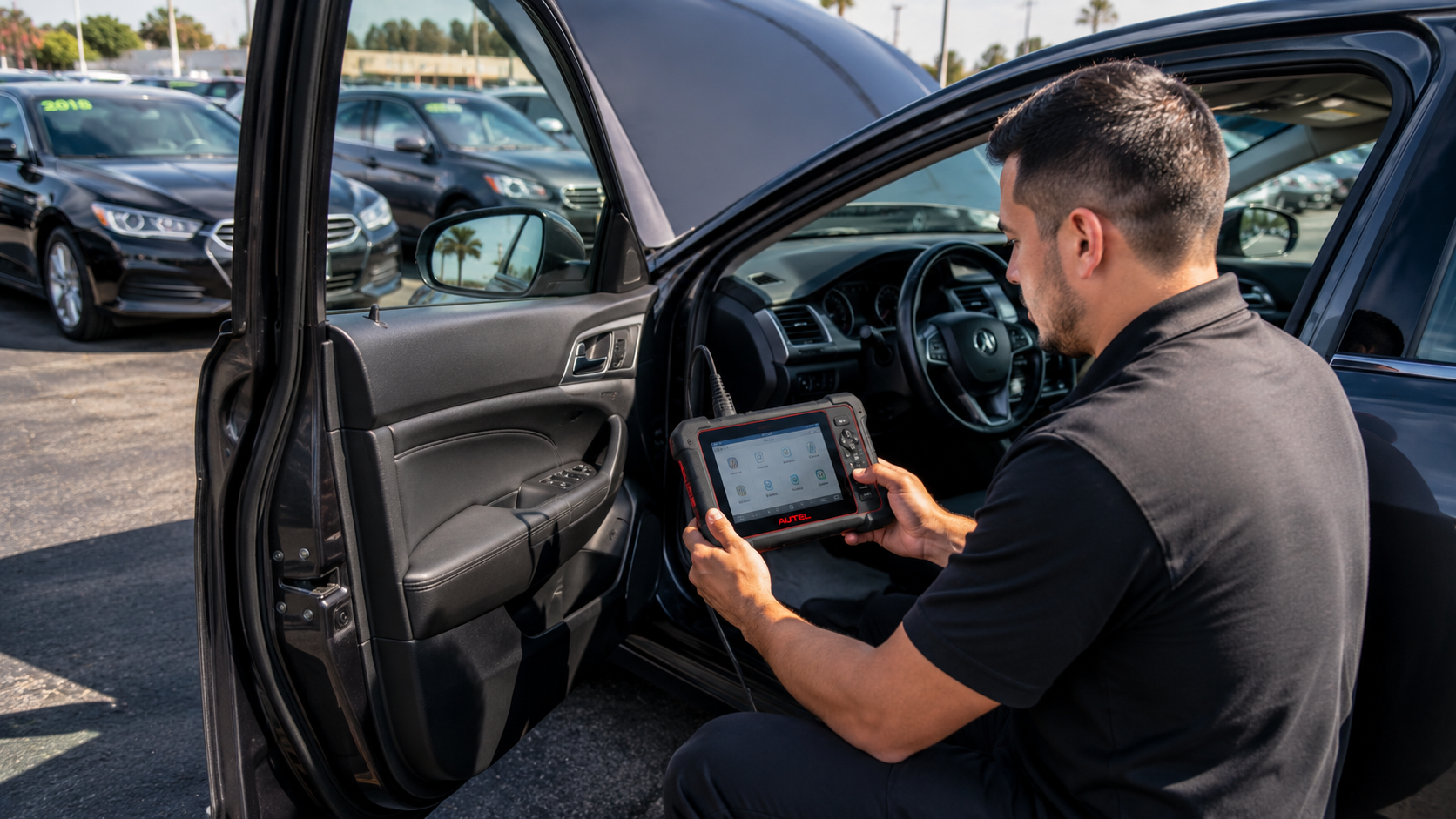
How to Use an Autel Scanner Before Buying a Used Car
Buying a used car carries risk: hidden faults, intermittent issues, and previous repairs that weren’t disclosed. A quick diagnostic scan with a reliable Autel tool can reveal important clues and help you avoid costly surprises.
This guide explains what an Autel scanner can do for a pre-purchase inspection, how to pick the right model and accessories, and a step-by-step process you can run at the seller’s location. If you don’t plan to do the scan yourself, it will also help you interpret the results so you can make an informed decision.
What an Autel scanner can check
An Autel scanner reads trouble codes and live data from a vehicle’s control modules. That includes the engine, transmission, ABS, airbag (SRS), TPMS and sometimes body modules. A full OBD-II read will show stored and pending codes, readiness monitors, freeze frame and live streams for things like fuel trims, misfires and sensor values. For basic pre-purchase checks, a capable Autel OBD2 Scanners model is often sufficient to reveal major issues.
Why scan before you buy
There are several practical reasons to scan a used car before purchase:
- Expose hidden or pending faults that don’t trigger a visible check engine light.
- Verify that emission readiness monitors are set (important for state inspections).
- Confirm the absence of airbag, ABS or immobilizer faults that can be expensive to repair.
- Spot intermittent problems via freeze-frame data and stored freeze events.
All of these checks help you compare the vehicle’s condition against the seller’s description and the asking price.
Choosing the right Autel model for a pre-purchase scan
Autel makes a wide range of tools. If you want a straightforward, affordable option for basic pre-purchase checks, look at mainstream diagnostic options in the Autel Diagnostic Scanners category. They read engine codes, display live data and show readiness monitors.
If you want deeper coverage—special functions, deeper module access and faster support for many brands—consider upgrading to Autel Professional Scan Tools. Professional tools add advanced functions (service resets, coding, active tests) that are useful when diagnosing non-obvious faults on higher-end vehicles.
What to prepare before arriving at the seller’s location
Bring a compact toolkit and the right scanner accessories so you can connect quickly and safely. Confirm the seller will let you connect the tool and turn the ignition on. If the vehicle is older than OBD-II or uses a non-standard connector, an adapter may be required—more on that below.
- Bring a charged scanner tablet or handheld with latest updates.
- Have a 12V power bank or vehicle power supply if the car battery is weak.
- Carry basic adapters if you expect non-standard plugs or heavy-duty connectors.
Step-by-step: Performing a pre-purchase scan
Follow these steps on-site to get reliable, repeatable information.
- Park on level ground, set the parking brake, and make sure the vehicle is in Park or Neutral.
- Connect your Autel scanner to the OBD-II port (usually under the dash). If the vehicle requires a special connector, use the correct adapter (see accessories).
- Turn the ignition to ON (engine off) and allow the scanner to communicate with modules. Run an Auto-Scan or Full System Scan to collect stored and pending codes across modules.
- Record or photograph code lists, freeze frame data and readiness status for later comparison.
- Start the engine and monitor live data: short-term/long-term fuel trims, RPM stability, engine coolant temp, misfire counters and oxygen sensor activity.
- Perform a road test while streaming live data if allowed; watch for spikes in fuel trims, erratic sensor readings or misfires under load.
- Clear codes only if you have the seller’s permission and want to see whether problems reappear. Note: clearing codes also clears readiness monitors.
If you encounter an older vehicle with non-OBD connectors, a kit like the Autel MaxiSys MSOBD2KIT Non-OBDII Adapter can allow the scanner to interface with legacy systems and retrieve codes that would otherwise be inaccessible.
Interpreting scan results—what to look for
Not all codes mean immediate rejection. Use this practical approach:
- Hard/active faults in engine, transmission, airbags or ABS = red flag. Ask for repairs, discount or walk away.
- Pending or intermittent misfire codes require inspection—look for rough idle, exhaust soot, or oil leaks into spark plug wells.
- Multiple pending oxygen sensor or catalyst efficiency codes may indicate exhaust or catalytic converter issues—expensive to repair.
- Immobilizer, key or module communication faults often require dealer-level programming; consider the cost of key programming tools or dealer visits.
- Readiness monitors not set could mean the battery was recently disconnected or that the car hasn’t completed emissions drive cycles—ask why and test further.
For advanced active tests, module coding or to actuate components during diagnosis, a bi-directional capable scanner can save time and provide definitive results. Consider tools from the Autel Bi-Directional Scan Tools category if you expect to diagnose complex issues on-site.
Accessories and adapters you should carry
Small accessories prevent delays and ensure compatibility:
- Extension and test cables to reach awkward OBD ports.
- OBD1/legacy adapters and manufacturer-specific connectors.
- Carrying case and cable kit to keep connectors organized.
Autel sells dedicated accessories and adapter kits—check the Autel Scanner Accessories for extension cables, connector kits and specialty adapters that can be essential when inspecting older or commercial vehicles.
Battery and electrical system checks
A weak battery or charging issue can cause codes, failed readiness monitors and unreliable test results. Before you judge engine-related codes, verify battery condition and charging system health with a battery analyzer.
If you want a quick, reliable battery test during a pre-purchase inspection, consider an Autel battery tester from the Autel Battery Testers selection. A healthy battery and alternator will reduce false positives and ensure live-data readings are valid.
When to get a professional inspection
If the scan shows critical faults (airbag, transmission, major ABS, immobilizer errors) or ambiguous intermittent codes, get a mechanic to perform a follow-up. A shop with full access to OEM-level diagnostics and repair history tools can perform deeper tests and do component-level checks.
For vehicles with complex faults or where you plan to invest in repairs, a pro equipped with advanced Autel tools will perform active tests, module coding and ECU-level diagnosis—capabilities typically found in the higher-end professional lineup rather than basic code readers.
Quick checklist before you sign
- Did you run a full system scan and save the report?
- Are there active faults in engine, transmission, airbags or ABS?
- Are readiness monitors set for emissions testing?
- Is battery/charging system healthy?
- Did you road-test while monitoring live data?
- Do you have documentation of any repairs recommended by the scan?
FAQ
- Q: Can a basic Autel code reader tell me everything wrong?
A: Basic readers reveal stored and pending codes and live engine data; they are excellent for spotting major issues but may not access manufacturer-unique modules or provide active tests. - Q: Will clearing codes hide problems from future buyers?
A: Clearing codes erases stored data and readiness monitors—don’t rely on cleared codes as proof of repair. Save reports before any clearing action. - Q: What if the car has an immobilizer or key programming fault?
A: Immobilizer and key issues often require dealer-level programming or specialized tools beyond a basic scanner; factor potential key programming costs into negotiations. - Q: Can I scan an older pre-1996 vehicle?
A: Older vehicles may use OBD1 or manufacturer-specific connectors. An adapter kit can allow communication with legacy systems when available. - Q: Should I buy a scanner for one-time use?
A: If you plan to buy multiple used cars or perform frequent checks, a mid-range Autel diagnostic scanner pays off. For single purchases, consider a professional pre-purchase inspection that includes a scan.
Using an Autel scanner during a used-car inspection gives you objective data, reduces guesswork, and strengthens your negotiating position. Carry the right accessories, follow the step-by-step scan process, and escalate to a professional when scans reveal complex or safety-critical faults.
Products Featured in This Article

Autel MaxiSys MSOBD2KIT Non-OBDII Adapter …
🔥【Compatibility Expound】Autel MaxiSys MSOBD2KIT is compatibility withAll Autel Scanner, Such as MK808S MX808S MK808BT PRO MK900…
